ILM AI Chat Assistant for PrestaShop

1.5.0
$25.00 one-time
Licence for 1 shop • The module only, yours to keep
Add-ons
Total Add-ons run for 12 months. After your order you can turn on auto-renewal, or buy another 12 months when you need them.

After payment your order page shows the Order ID that activates the module. The module works with or without support.

30-Day Money Back
Updates with Support add-on
Dedicated Support
Compatibility
PS Compatibility: 1.7.0 – 9.x
PHP Version: PHP 7.1+
Share:
Also on: PrestaShop Addons PS Addons

An assistant that knows your shop

ILM AI Chat Assistant answers your shoppers' questions day and night, from what your shop already says: your products, prices, categories and content pages, plus the notes and FAQ you add. It knows which page the shopper is on, links to the right products, and hands over to your team when it cannot help.

Questions for every page

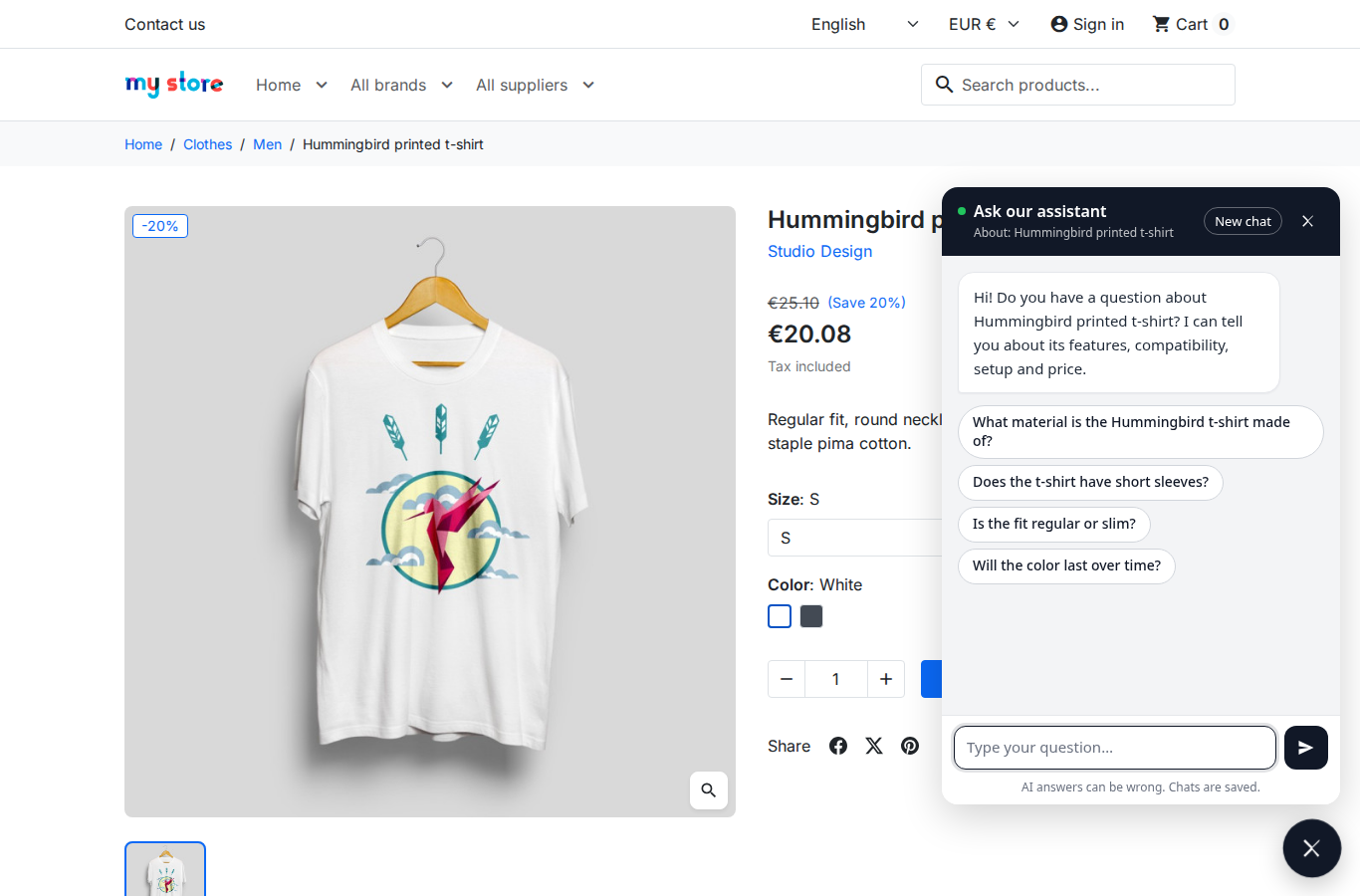
On a product or category page the chat opens with four questions about that page, written once by the AI and then kept. Shoppers start with one click instead of a blank box.

  • Different questions on each product and category
  • Your own questions for the other pages
  • A waving launcher until the shopper first opens the chat
Chat open on a product page with four suggested questions

Answers from your own content

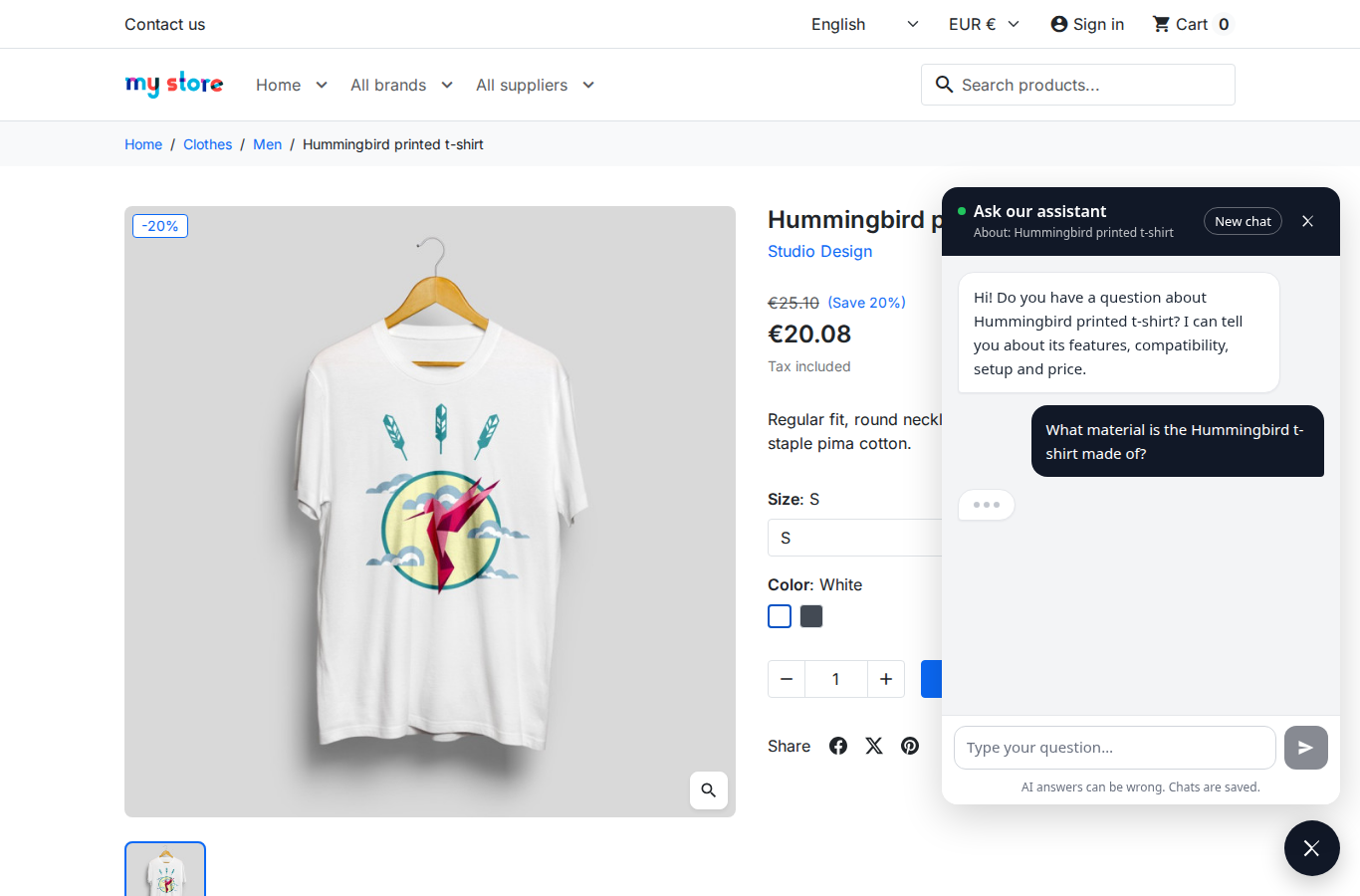
The assistant searches your catalogue, CMS pages and notes for each question and answers only from them, with links to the page that says so. It rebuilds its knowledge by itself when you change a product or a page.

  • Products, categories, CMS pages, your FAQ notes
  • Answers in the shopper's language
  • Your own rules, such as what to say about refunds
An answer about the product material with a link to the product

Product suggestions that sell

When the answer names products, the chat shows them as cards with picture, price and a View button, so the shopper goes straight to the product.

  • Cards with picture, price and link
  • Only products the shopper can buy
  • Switch the cards off if you prefer plain answers
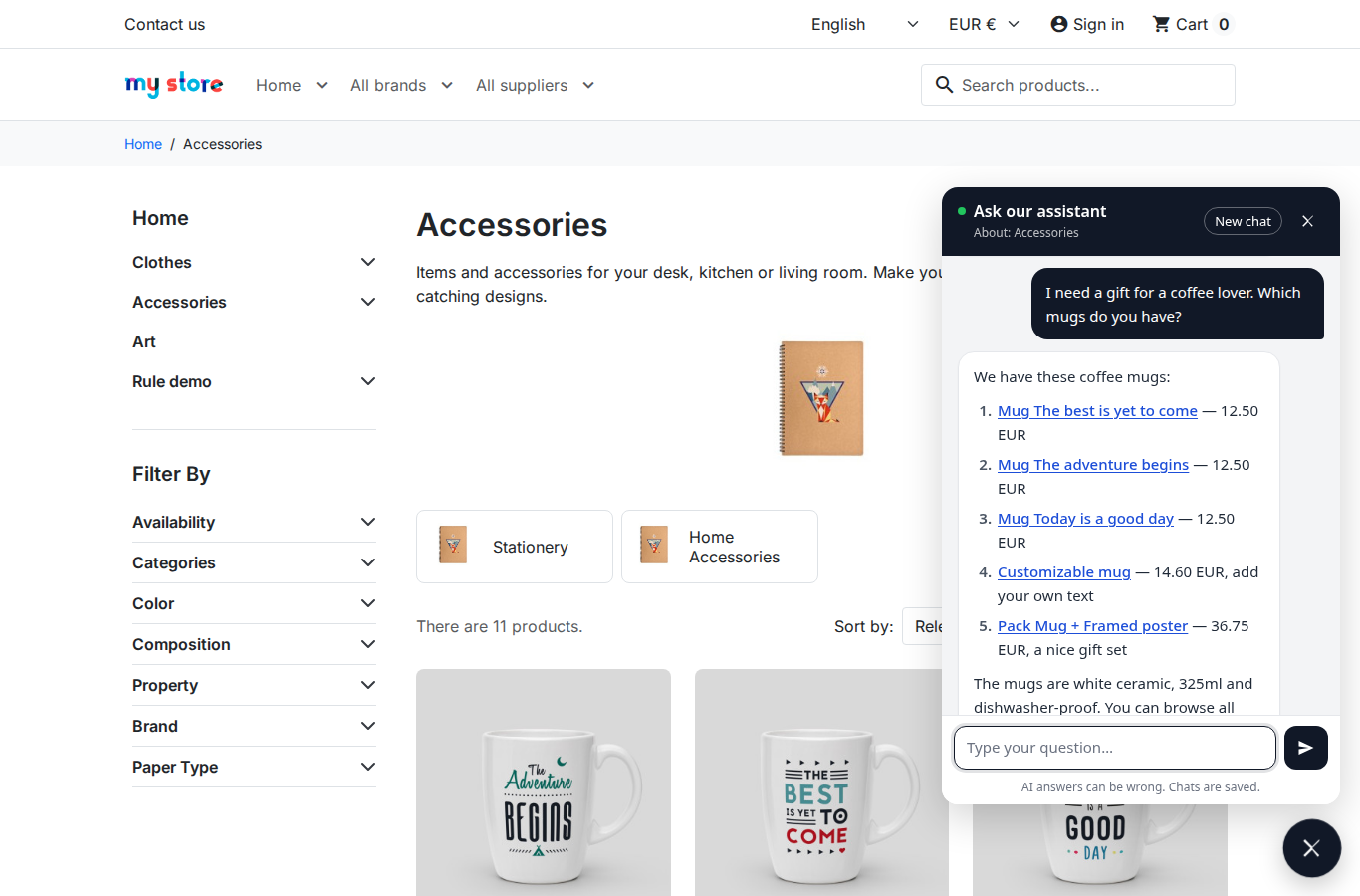
Answer listing mugs with links and prices

A person when it matters

When the assistant cannot answer, or the shopper asks for a person, the chat offers your contact page, e-mail and WhatsApp, or a short message form. The message reaches you by e-mail with the chat that came before it.

  • Contact page, e-mail and WhatsApp buttons
  • Message form, sent to your e-mail with the chat
  • Signed-in customers can ask about their own orders
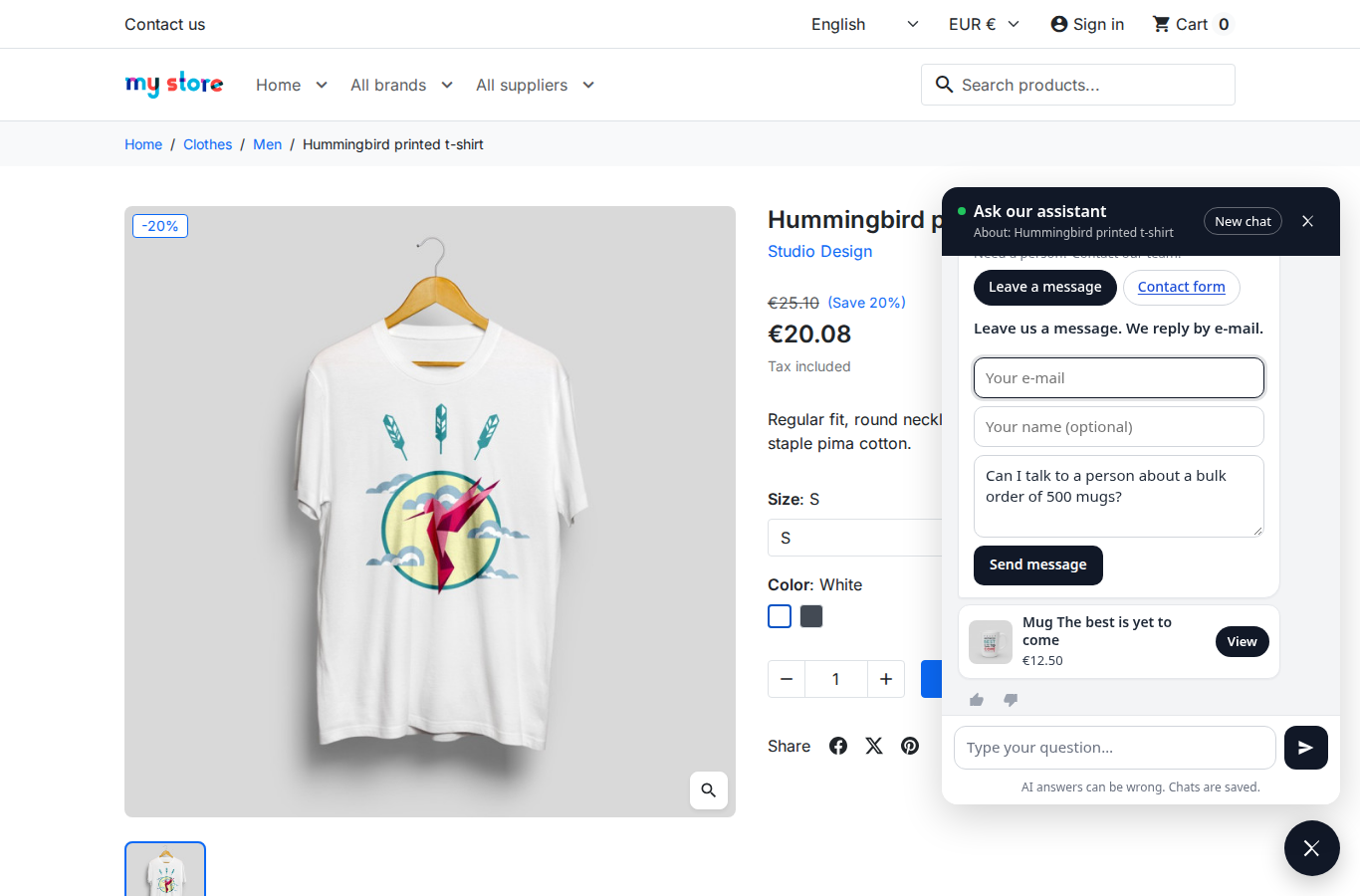
Leave a message form inside the chat

Fewer AI requests, lower cost

The same first question on the same page is answered from a saved answer, without a new AI request. You set daily limits for the whole shop and for each visitor, and block IP addresses that misuse the chat.

  • Saved answers for repeated questions
  • Limits per day, per visitor, per minute
  • 7-day statistics, ratings and a CSV export of chats
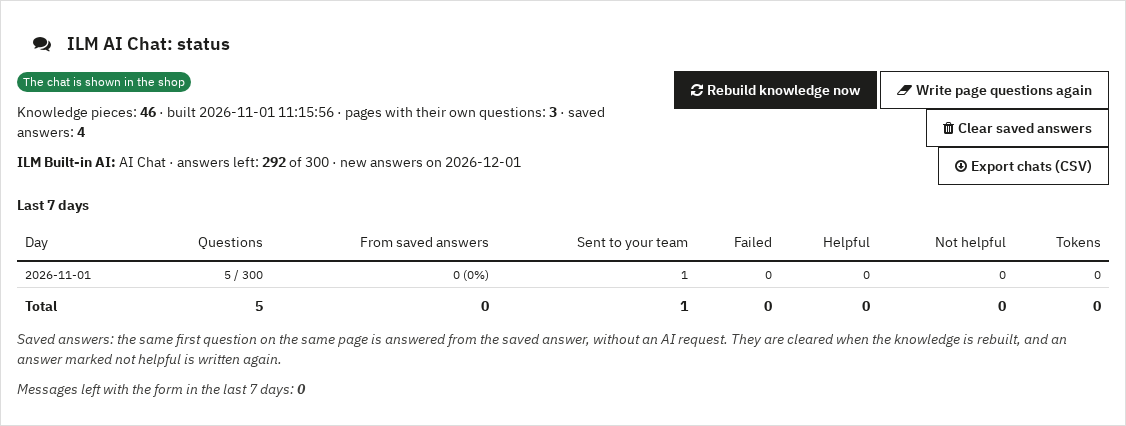
Status panel with answers left, statistics and saved answers

Your AI, your choice

Use the ILM Built-in AI: no account and no key. With the support add-on you get 100 free answers to try it; the AI add-on gives 5,000 answers a month. Or connect your own key of DeepSeek, OpenAI, Gemini, Claude or any OpenAI-compatible service and pay the provider directly; with DeepSeek an answer costs about 0.001 USD.

  • ILM Built-in AI, no key needed
  • Or your own DeepSeek, OpenAI, Gemini or Claude key
  • Test connection button in the settings
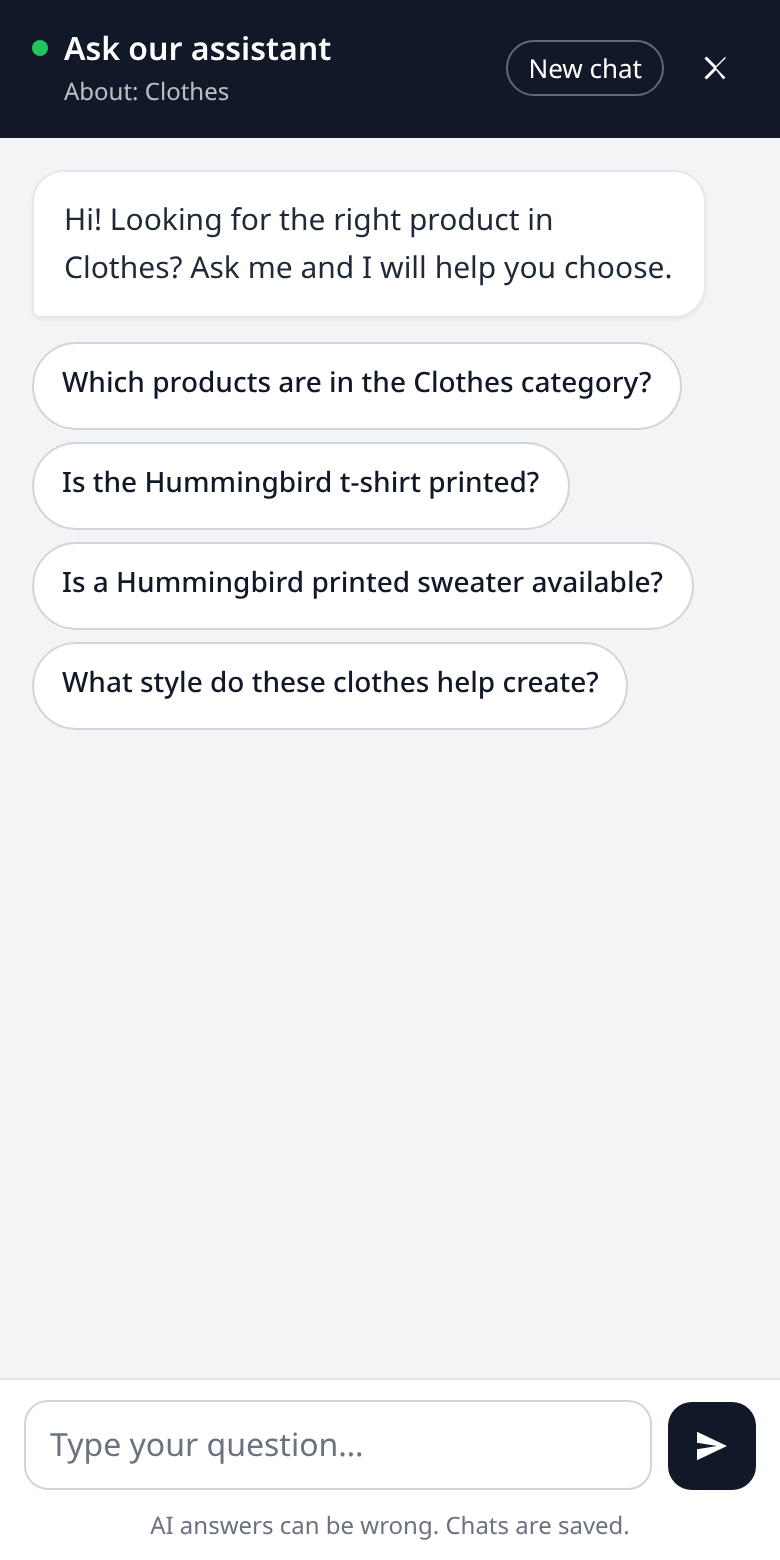
The chat on a phone

One price for the module, add-ons when you need them

AI Chat module

  • One-time price
  • Licence for one shop
  • Yours to keep, with no time limit
  • Works with your own AI key

Support add-on

  • 12 months of updates and support
  • 100 free built-in AI answers
  • Buy it with the module or later
  • Buy another 12 months whenever you need them

AI add-on

  • 5,000 chat answers every month
  • For one year, no AI key needed
  • Buy another year whenever you need it

The module works with or without the add-ons. Without the AI add-on, use your own AI provider key (with support you also get 100 free built-in answers).

Good to know

  • PrestaShop 1.7.0 to 9.x, with the Classic and Hummingbird themes.
  • Activation: install the module, open its licence bar and enter the Order ID shown on your order page.
  • Privacy: chats are kept for the days you choose (90 by default) and visitors are counted by a hashed IP address. Add a line about the chat to your privacy policy.
  • On another site: add one script line to show the same chat on your blog or documentation site.
PS Compatibility
1.7.0 – 9.x
PHP Version
PHP 7.1+
License
1 shop per licence
Plugin Version
1.5.0
Last Update
November 2026
Multi-Store
No
PrestaShop Version PHP Version Status
PrestaShop 9.x PHP 8.1 / 8.2 / 8.3 Compatible
PrestaShop 8.x PHP 8.0 / 8.1 / 8.2 Compatible
PrestaShop 1.7.x PHP 7.4 / 8.0 Compatible
PrestaShop 1.6.x PHP 7.x On Request

Need support for an older version? Contact us and we'll help you out.

1

Download the Module

After purchase, go to My Account → Order History and download the .zip file for this module.

2

Upload via Back-Office

In your PrestaShop admin panel, navigate to Modules → Module Manager → Upload a Module and select the downloaded .zip file.

3

Install & Configure

Click Install, then Configure to set up the module settings according to your store's needs.

4

Clear Cache

Go to Advanced Parameters → Performance and click Clear cache to make sure all changes take effect on the front-end.

5

Done!

Visit your store front-end to verify the module is working. For any issues, contact our support team — we respond within 24 hours.

Share

Comments (0)

No customer reviews for the moment.

Need a Custom Plugin?

We build bespoke PrestaShop, Joomla, WordPress and OpenCart modules tailored to your exact requirements.

Loading...
Back to top