Minimum, Maximum, and Multiple Order Quantity/Amount

5.3.0
889 Downloads
$45.00 one-time
Licence for 1 shop • The module only, yours to keep
Add-ons
Total Add-ons run for 12 months. After your order you can turn on auto-renewal, or buy another 12 months when you need them.

After payment your order page shows the Order ID that activates the module. The module works with or without support.

30-Day Money Back
Updates with Support add-on
Dedicated Support
Compatibility
PS Compatibility: 1.7.0 – 9.x
PHP Version: PHP 7.1+
Share:
Also on: PrestaShop Addons PS Addons

Decide exactly how much your customers can buy

ILM Minimum, Maximum, and Multiple Order Quantity/Amount sets order rules for your PrestaShop shop: the smallest and largest quantity, packs and multiples, and minimum or maximum amounts. Rules apply to products, combinations, categories, brands, suppliers, customer groups or one single customer, and shoppers see a clear message instead of a silent failure.

Minimum quantity

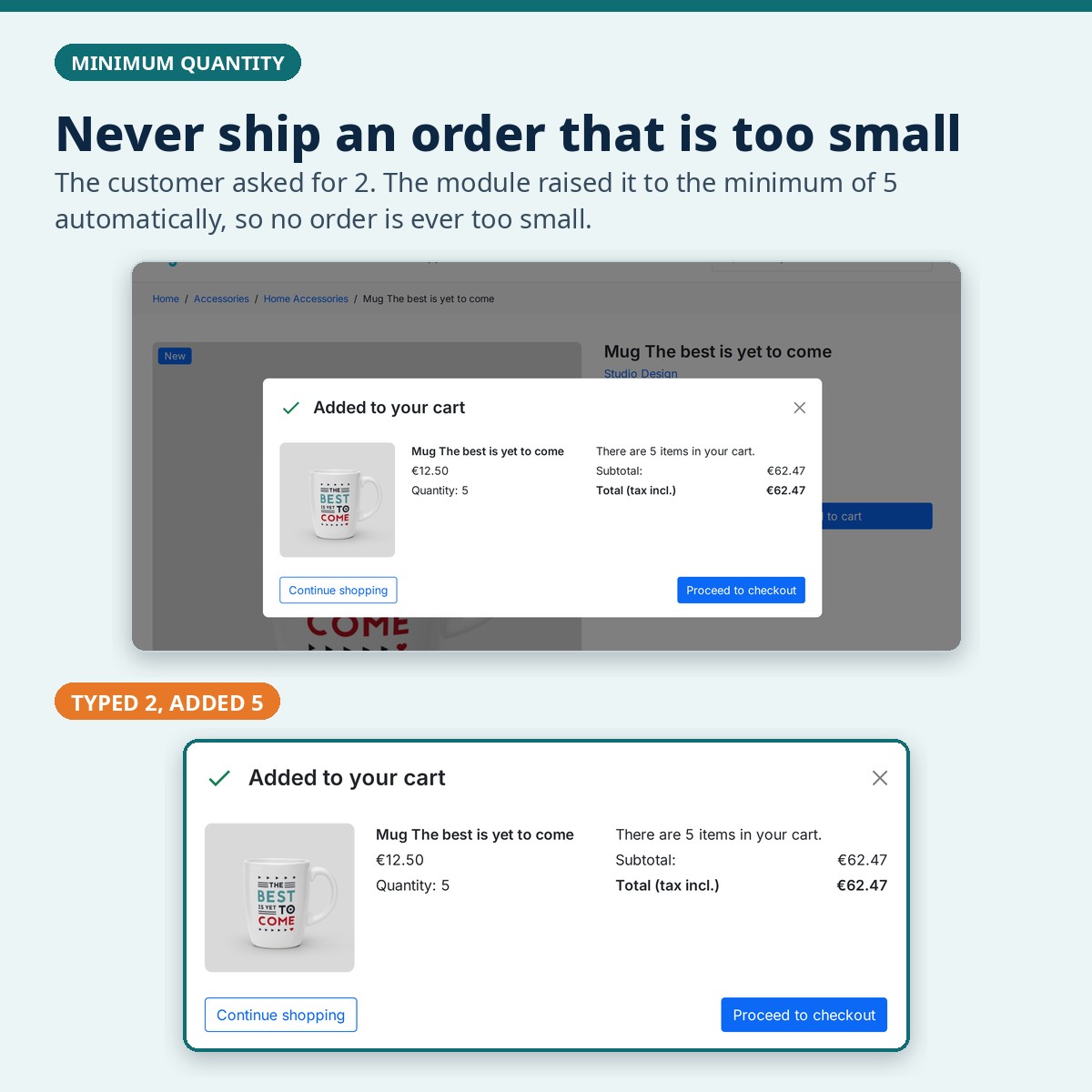
Set the smallest quantity a customer can order, for a product, a combination, a category, a brand, a supplier or a customer group. When a shopper adds less, the cart can raise it to the minimum for them.

  • Per product, combination, category, brand, supplier or group
  • Rules for one single customer
  • The product page shows the limit before anything is blocked
A cart raised from 2 to the minimum of 5

Maximum quantity

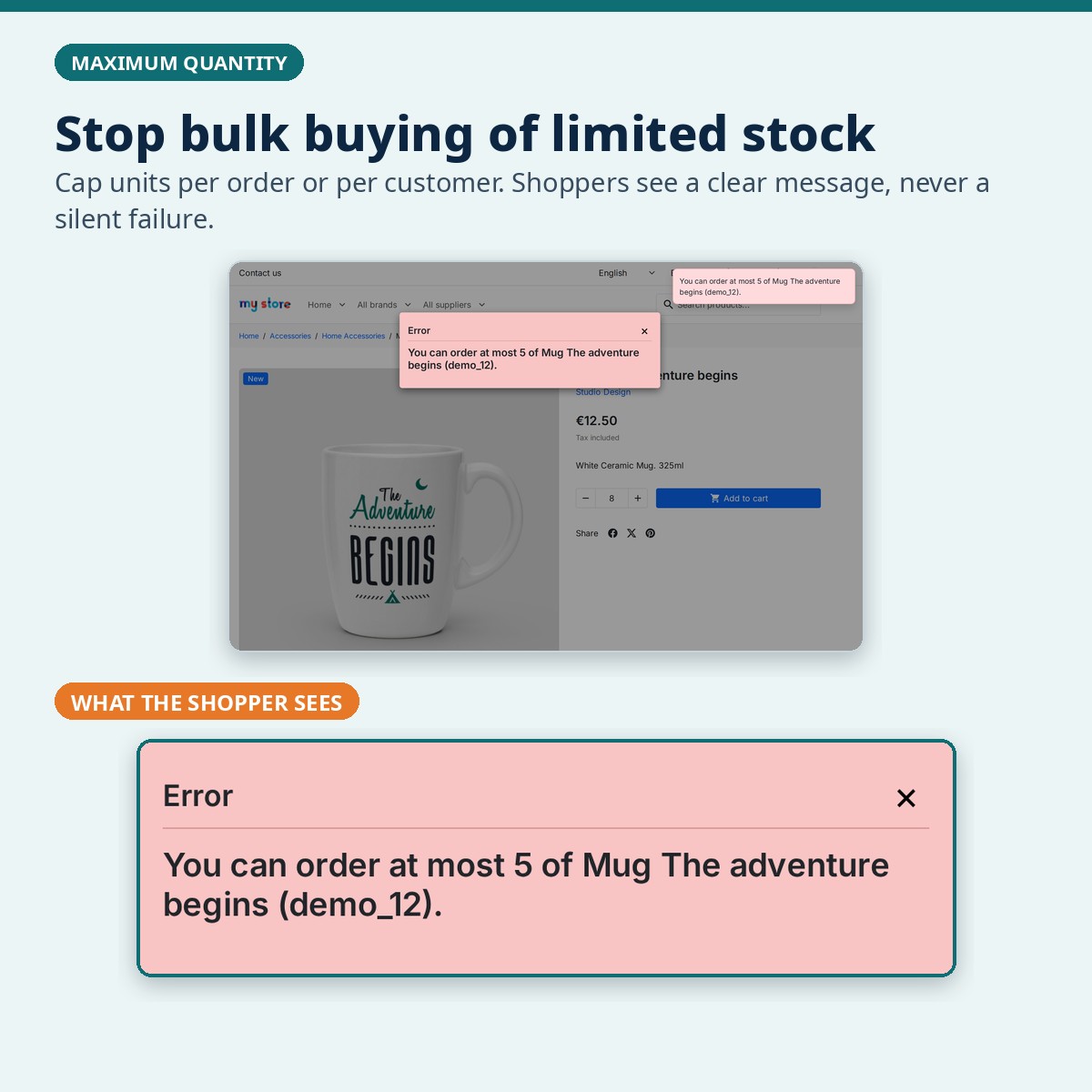
Cap how many units go into one order, or how many a customer may buy over time. The shopper sees a clear message that says how many they can still order.

  • Protects limited or promotional stock
  • Per order or counted over a period
  • Your own message text in every shop language
Error message for a maximum quantity

Packs, multiples and allowed quantities

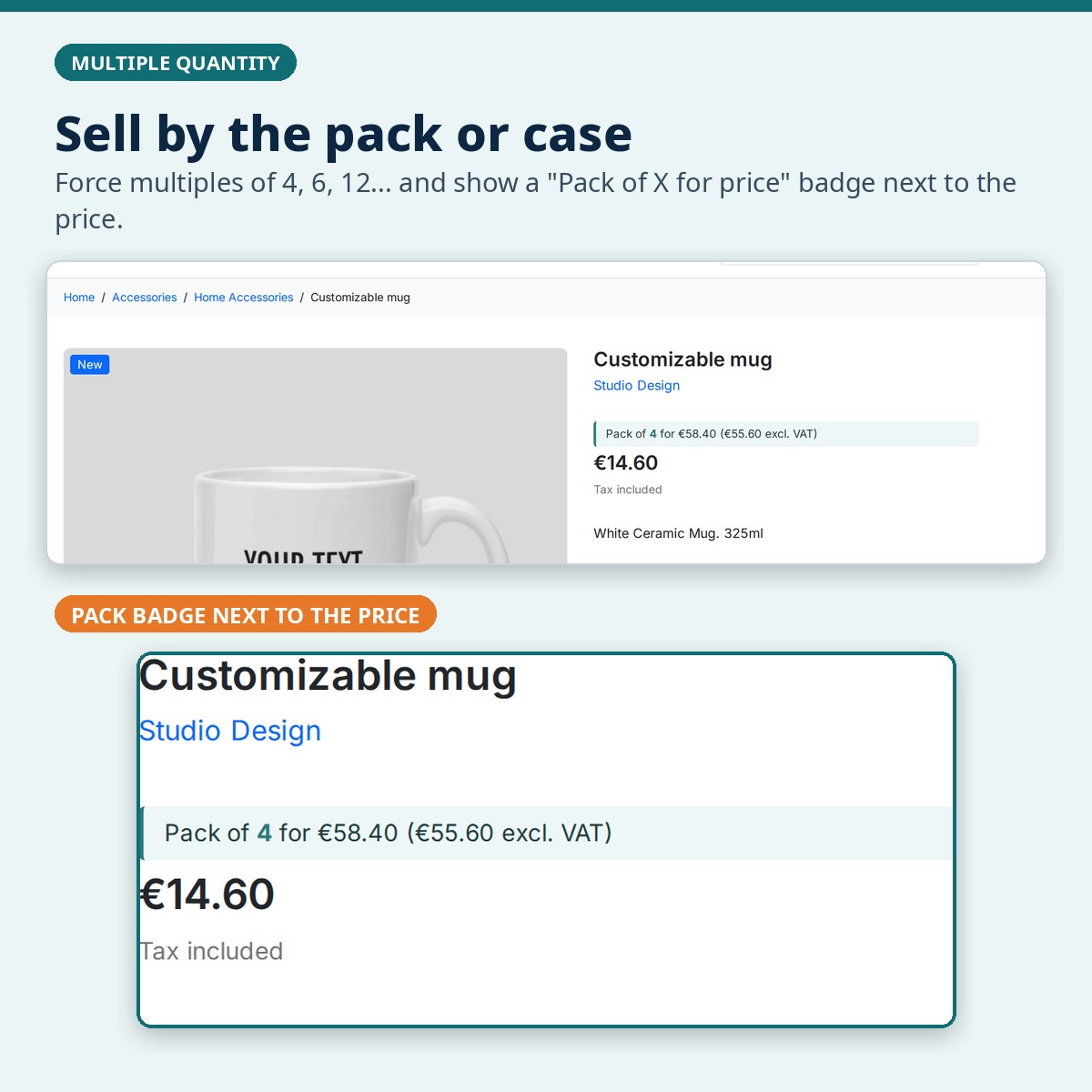
Sell only in multiples of 4, 6 or 12, count the steps from the minimum (5, 7, 9...), or allow just a fixed list such as 6, 12 or 24. A pack badge next to the price shows the pack size and its price.

  • Multiples, with an optional limit after which any quantity is fine
  • Allowed quantities, e.g. only 6, 12 or 24
  • Pack badge next to the price
Pack of 4 badge next to the product price

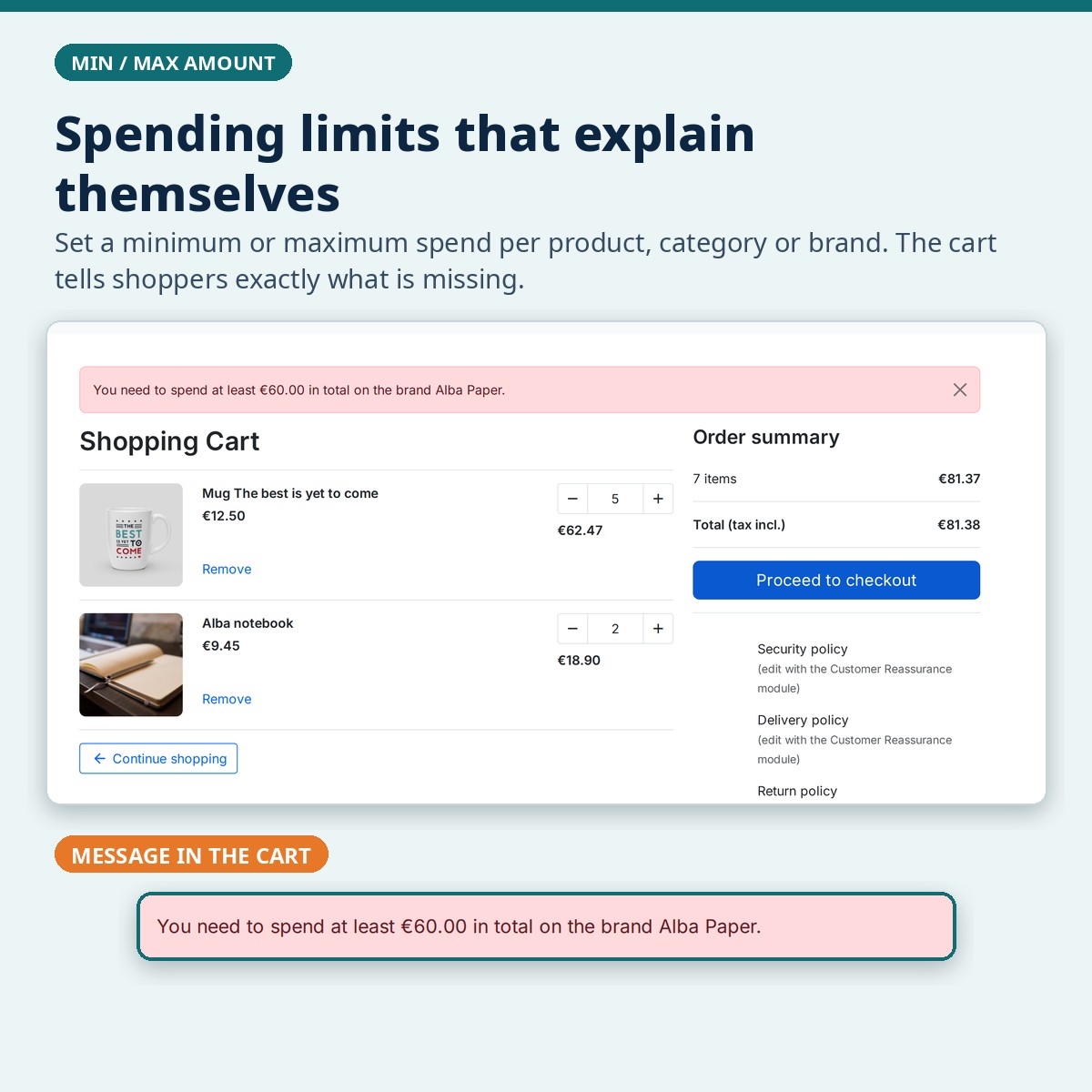
Minimum and maximum amount

Ask for a minimum spend or cap the spend on a product, a category, a brand, a supplier or a customer group, with or without tax. The cart tells the shopper exactly what is missing.

  • Amount rules with or without tax
  • Minimum / maximum number of different products per order
  • The message appears in the cart
Cart message for a minimum amount on a brand

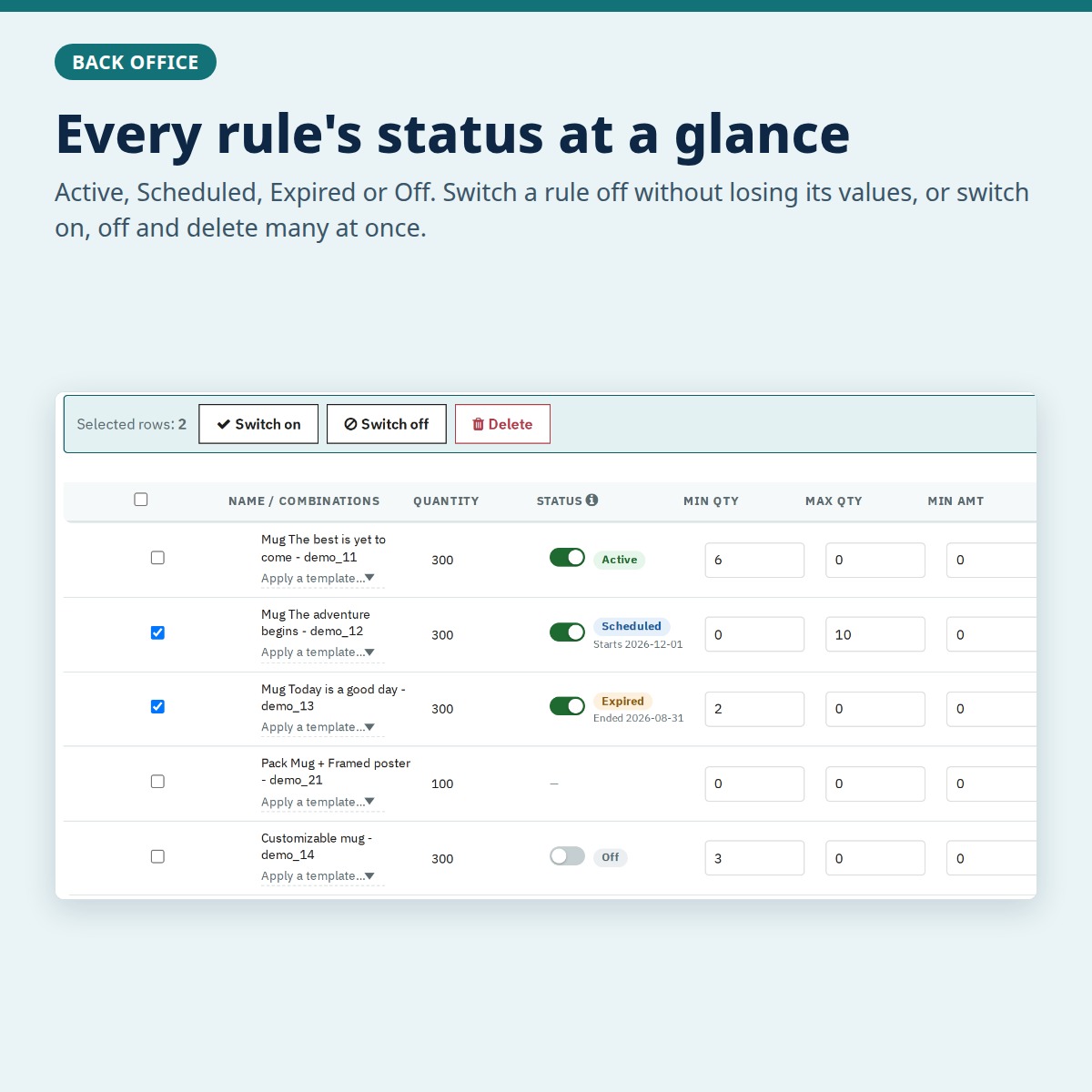
Rule status and bulk actions

Every rule shows whether it is Active, Scheduled, Expired or Off. Switch a rule off without losing its values, or switch on, switch off and delete several rules at once.

  • A switch on every rule
  • Bulk switch on, switch off and delete
  • Edit values straight in the rule table
Rule table with status and bulk actions

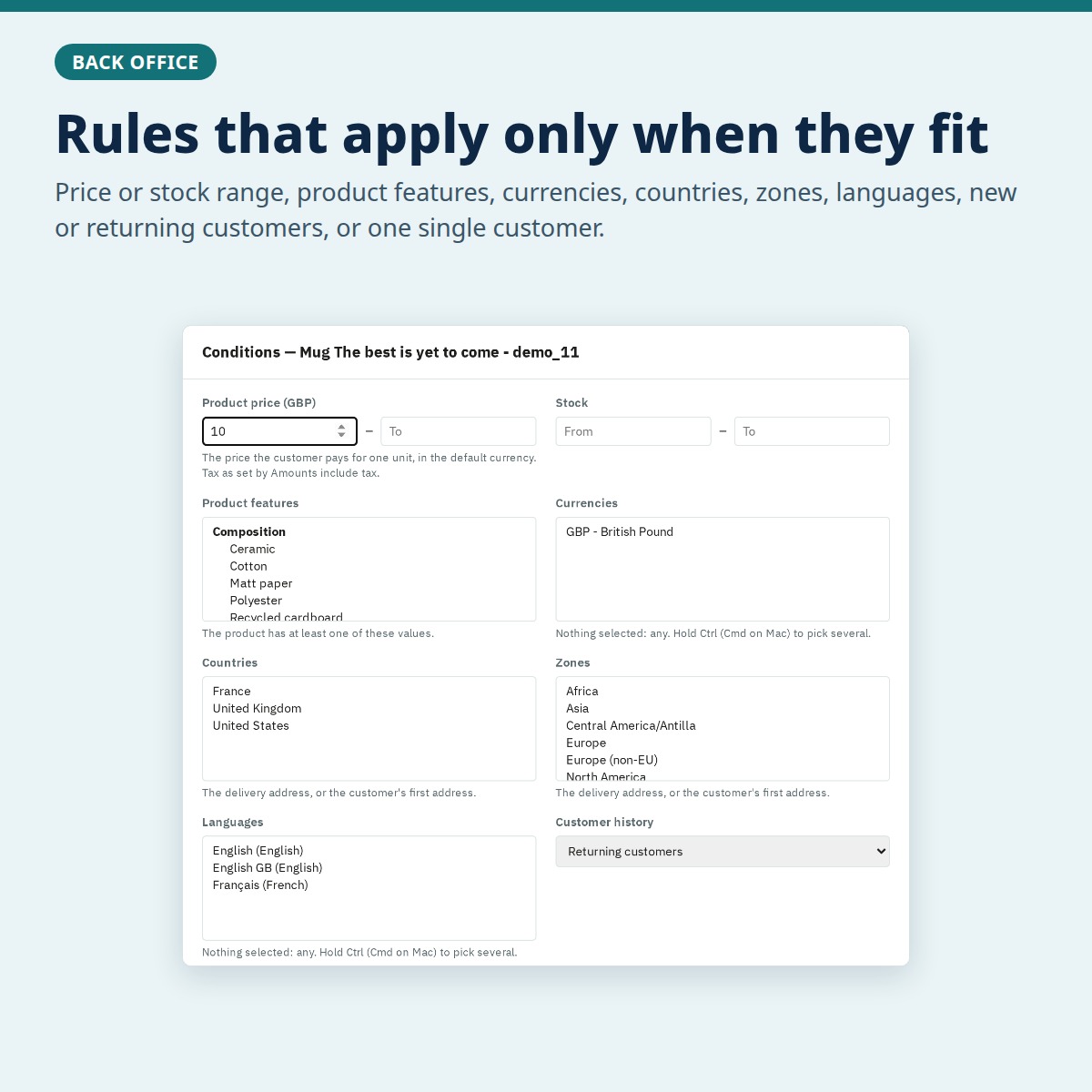
Conditions

A rule can apply only when it fits: a price or stock range, product features, currencies, countries, zones, languages, new or returning customers.

  • Price and stock range
  • Features, currencies, countries, zones, languages
  • Customer order history
Conditions window of a rule

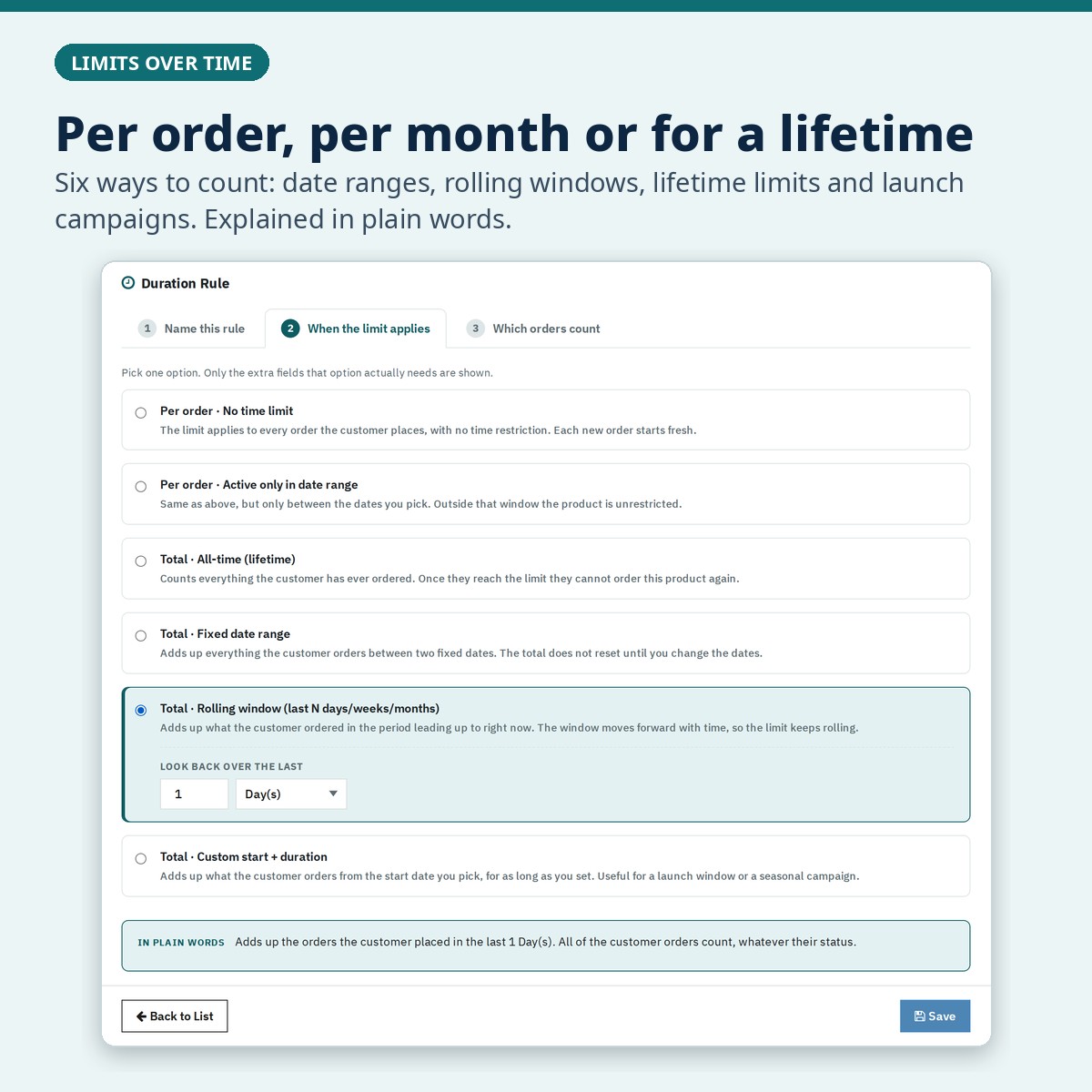
Duration rules

Count per order, between two dates, over a rolling window of days, weeks or months, or over a customer's lifetime. Each choice is explained in plain words before you save.

  • Per order or over a period
  • Fixed dates, rolling windows and lifetime limits
  • Reusable on any quantity or amount rule
Duration Rule screen

Templates, CSV and the Blocked Attempts log

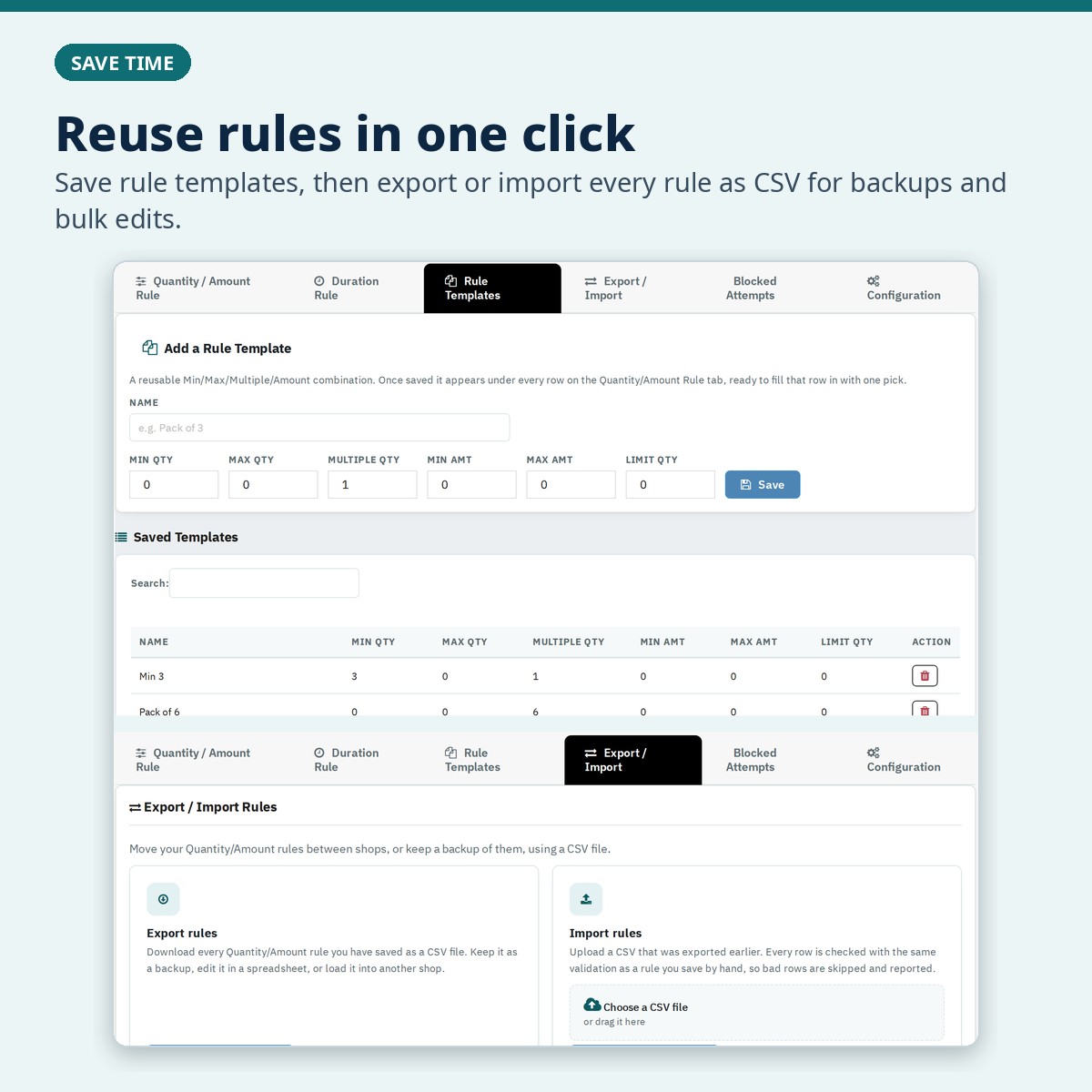
Save a set of values as a template and apply it to any rule in one click. Export and import every rule as CSV. The Blocked Attempts log shows when a rule stopped an order, on which page, for which customer and with which message.

  • Rule templates
  • CSV export and import, including status and conditions
  • Blocked Attempts log
Rule templates and CSV export / import

Safe at checkout

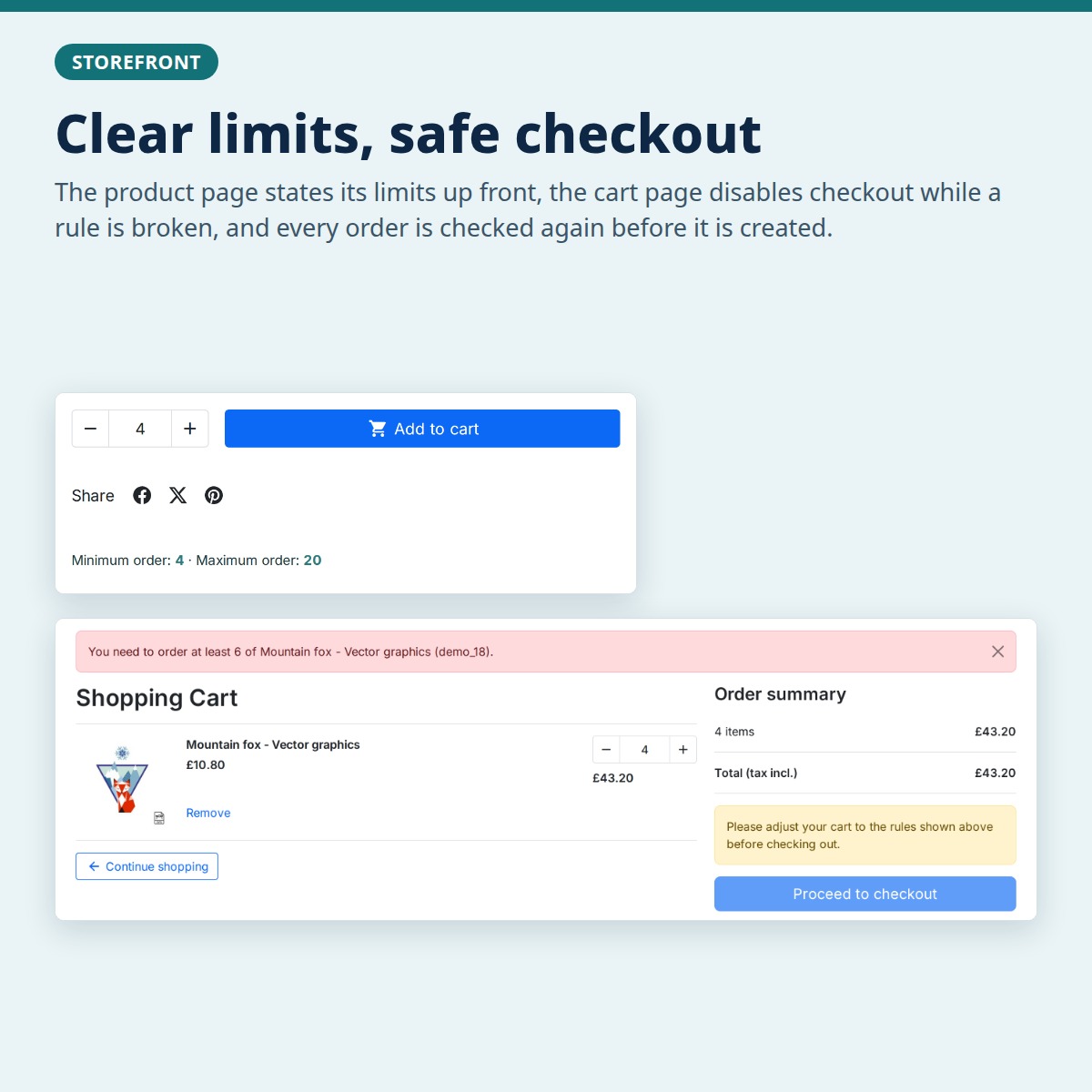
The product page states its limits up front, the cart page disables “Proceed to checkout” while a rule is broken, and every order is checked again before it is created, also with payment modules that create the order directly.

  • Limits shown on the product page
  • Checkout button disabled while a rule is broken
  • Checked again before the order is created
Product page limits and a cart with checkout disabled

One price for the module, support when you need it

Min/Max Order Quantity module

  • One-time price
  • Licence for one shop
  • Yours to keep, with no time limit

Support add-on

  • 12 months of updates and support
  • Buy it with the module or later
  • Buy another 12 months whenever you need them

The module works with or without the support add-on. Updates and support need it.

Good to know

  • PrestaShop 1.7.0 to 9.x, multistore, with the Classic and Hummingbird themes.
  • Languages: English, French, German, Spanish, Italian, Dutch and Polish.
  • Activation: install the module, open its licence bar and enter the Order ID shown on your order page.
  • Moving your shop: the licence bar moves the licence to your new domain.
PS Compatibility
1.7.0 – 9.x
PHP Version
PHP 7.1+
License
1 shop per licence
Plugin Version
5.3.0
Last Update
October 2026
Multi-Store
Yes
Downloads
889
PrestaShop Version PHP Version Status
PrestaShop 9.x PHP 8.1 / 8.2 / 8.3 Compatible
PrestaShop 8.x PHP 8.0 / 8.1 / 8.2 Compatible
PrestaShop 1.7.x PHP 7.4 / 8.0 Compatible
PrestaShop 1.6.x PHP 7.x On Request

Need support for an older version? Contact us and we'll help you out.

1

Download the Module

After purchase, go to My Account → Order History and download the .zip file for this module.

2

Upload via Back-Office

In your PrestaShop admin panel, navigate to Modules → Module Manager → Upload a Module and select the downloaded .zip file.

3

Install & Configure

Click Install, then Configure to set up the module settings according to your store's needs.

4

Clear Cache

Go to Advanced Parameters → Performance and click Clear cache to make sure all changes take effect on the front-end.

5

Done!

Visit your store front-end to verify the module is working. For any issues, contact our support team — we respond within 24 hours.

Comments (5)

(4.8)

Need a Custom Plugin?

We build bespoke PrestaShop, Joomla, WordPress and OpenCart modules tailored to your exact requirements.

Loading...
Back to top