
ILM Size Chart – AI Designer for PrestaShop

5.1.0
$45.00 one-time
Licence for 1 shop • The module only, yours to keep
Add-ons
Total Add-ons run for 12 months. After your order you can turn on auto-renewal, or buy another 12 months when you need them.

After payment your order page shows the Order ID that activates the module. The module works with or without support.

30-Day Money Back
Updates with Support add-on
Dedicated Support
Compatibility
PS Compatibility: 1.7.0 – 9.x
PHP Version: PHP 7.4+
Share:
Also on: PrestaShop Addons PS Addons

Size guides your shoppers actually use

ILM Size Chart adds a clear size guide to your product pages: in a popup behind a button, or right on the page. You build each guide yourself from tables, tabs, pictures, videos and text, and decide which products show it. Shoppers switch between cm and inches with one click.

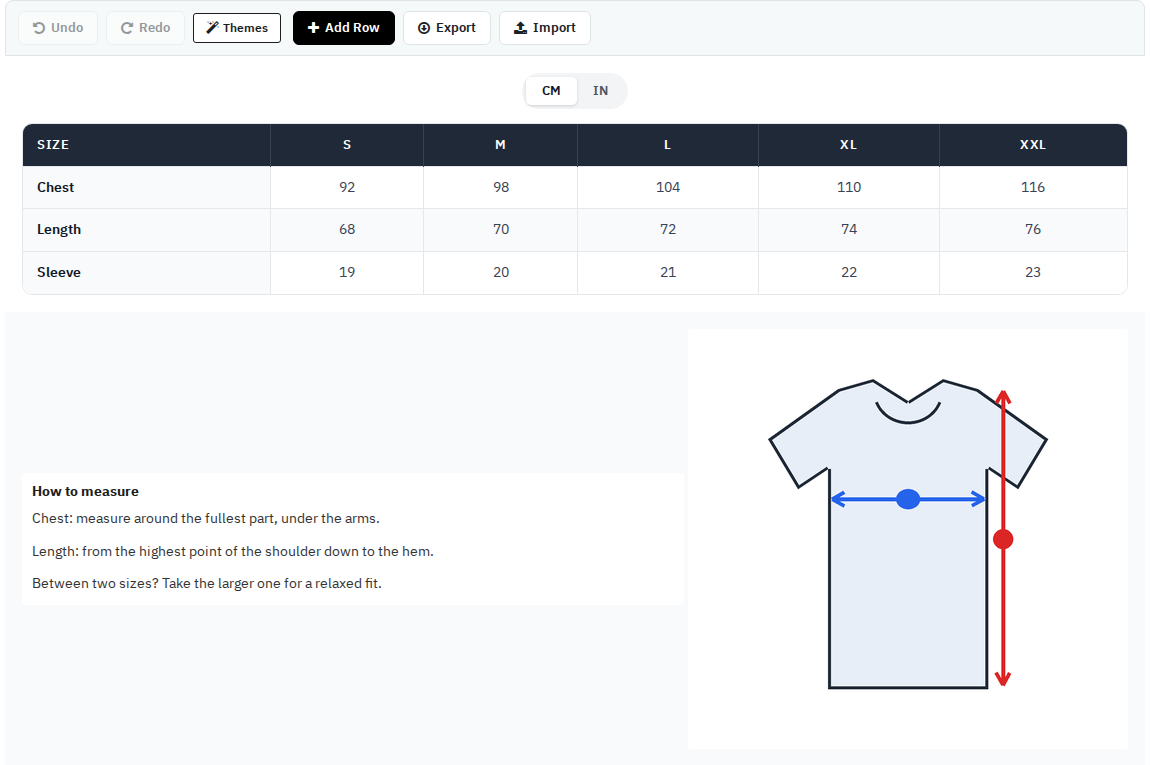
Sizechart Designer

Build a guide from rows and columns. Each column holds a table, tabs, a picture, a video, an iframe or text. Move things around, undo and redo, and export a design to reuse it on another chart.

  • Rows and columns you arrange freely
  • Tables, tabs, pictures, videos, iframes, text
  • Undo, redo, export and import
Sizechart Designer with a size table and a how-to-measure picture

Tables with a unit switch

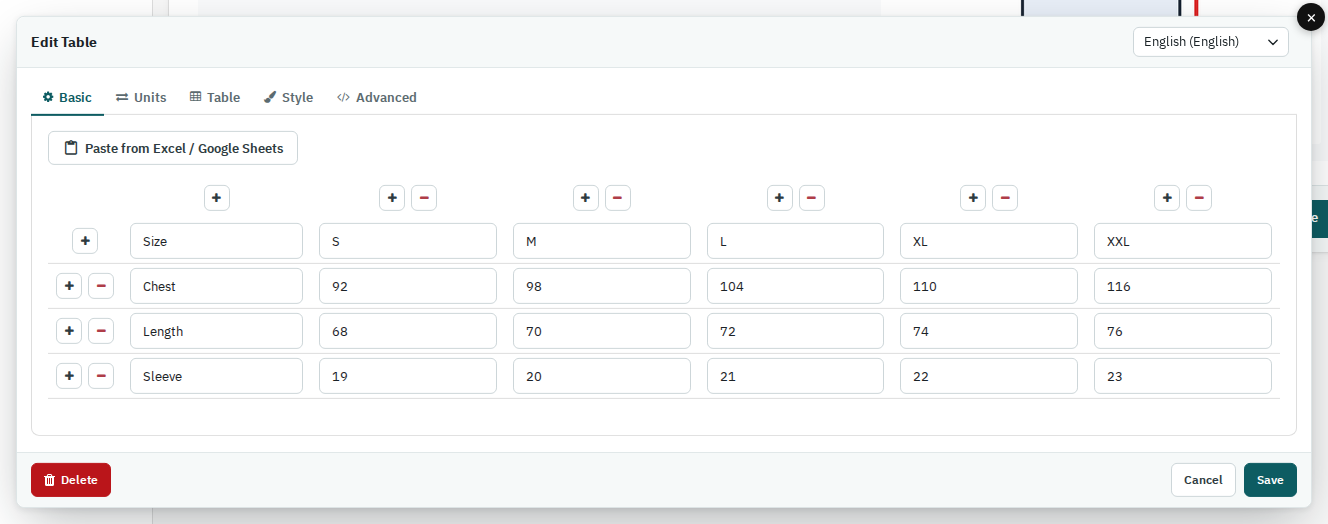
Paste your sizes straight from Excel or Google Sheets. Add cm, inches or any other unit with its conversion value, and the shopper switches between them above the table.

  • Paste from Excel or Google Sheets
  • Any unit, any conversion value
  • A different table for each shop language
Table editor with a paste from Excel button

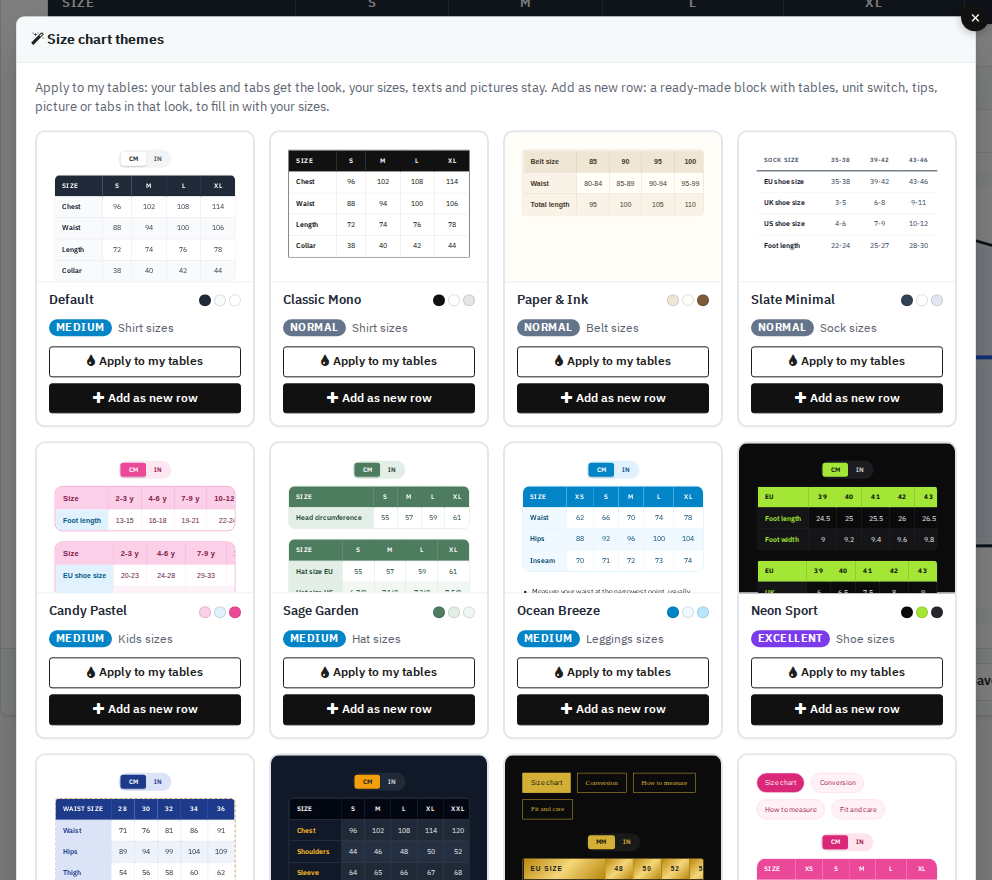
13 ready-made themes

Give your tables a finished look in one click, or add a complete ready-made block (tables, unit switch, tips, picture or tabs) and fill in your own sizes.

  • Apply a theme to the tables you already have
  • Or start from a ready-made block
  • Shirts, shoes, belts, hats, kids sizes and more
Theme picker with thirteen size chart looks

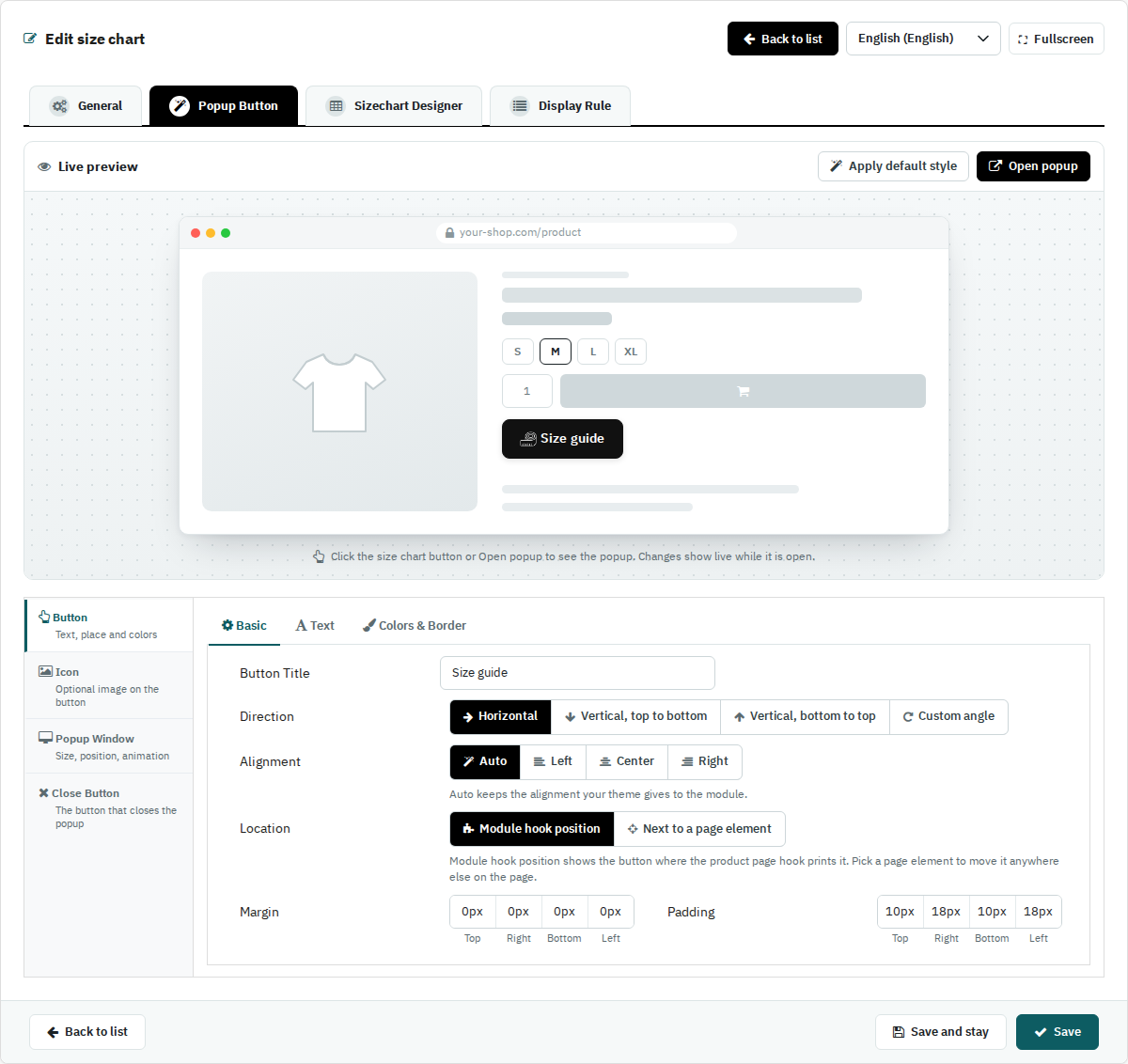
Popup Button designer

Design the button, its icon, the popup window and its close button, and watch a live preview while you change them. Place the button with the module's own position or next to any element of your product page.

  • Text, icon, colours, border and spacing
  • Popup size, position on screen and animation
  • Live preview before you save
Popup Button designer with a live preview

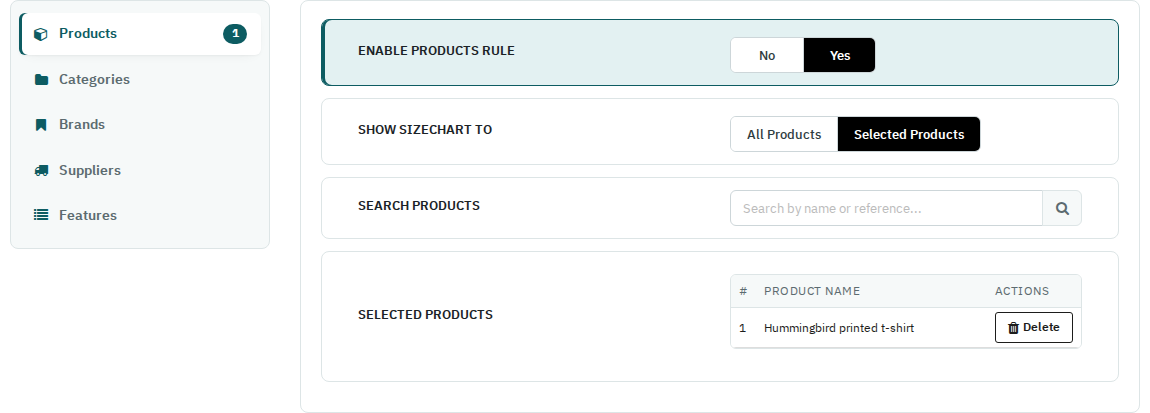
Display rules

Choose where each chart appears: on selected products, categories, brands, suppliers or features. When several charts match a product, the one with the highest priority is shown.

  • Products, categories, brands, suppliers, features
  • Priority decides between matching charts
  • Switch a chart off without deleting it
Display Rule tab with a product rule

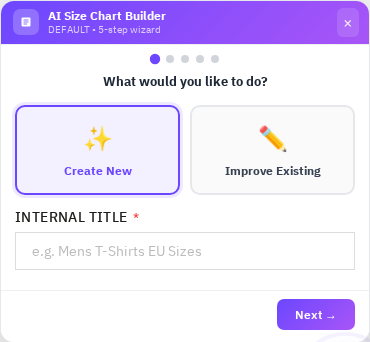
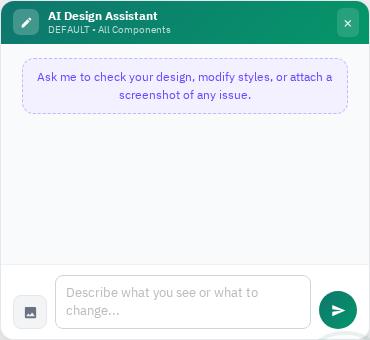
AI assistant

Describe your sizes and the AI drafts a complete chart, or ask it to change the design you are working on. It works without an API key of your own; you can also connect your Claude, DeepSeek or Gemini key.

  • Create a new chart in a few steps
  • Improve an existing design in plain words
  • 20 free AI requests with every licence
AI Size Chart BuilderAI Design Assistant

On your storefront

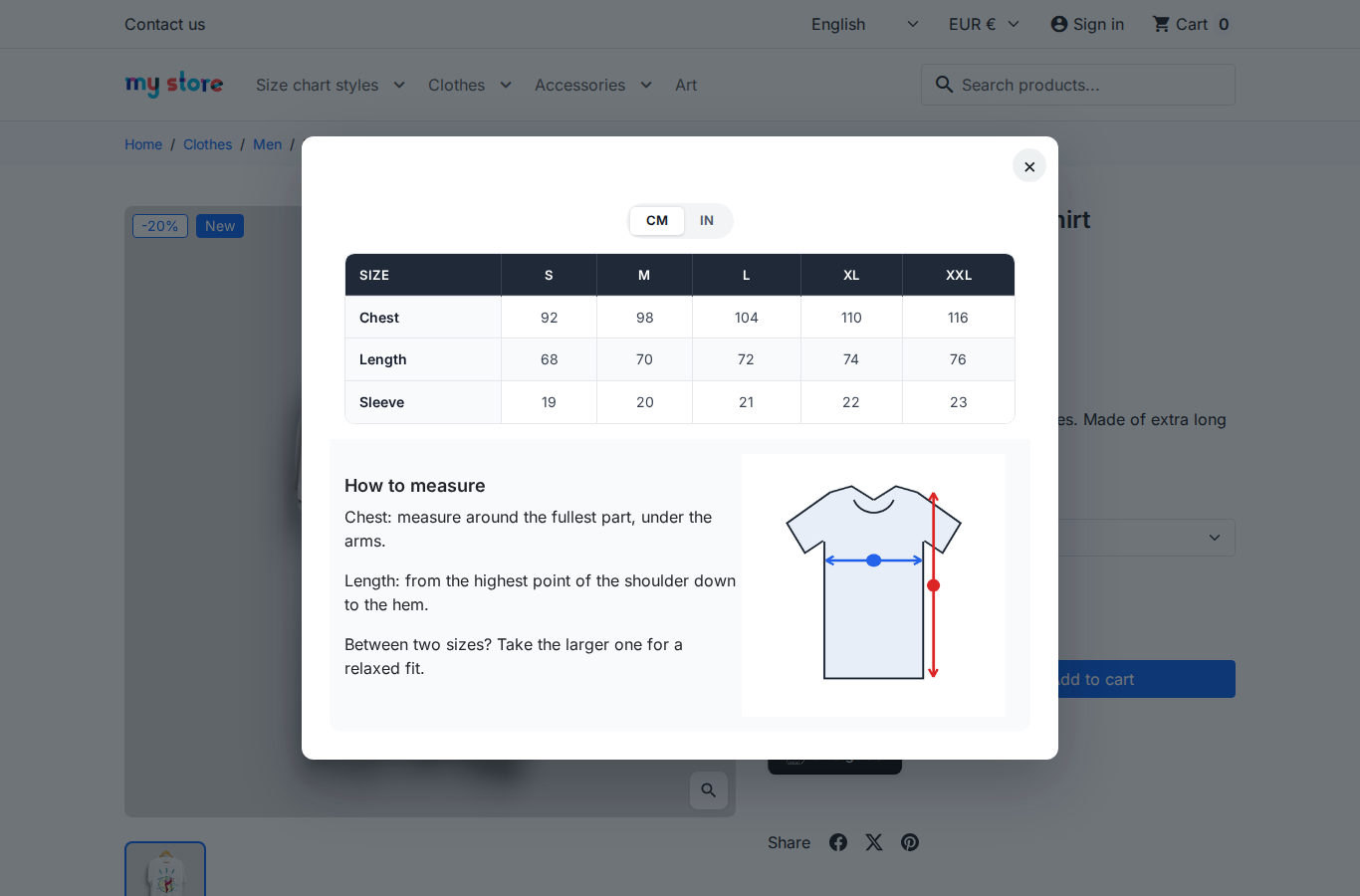
The chart opens in a popup from a button on the product page, or sits directly on the page. Shoppers can also use Find my size to get a size suggestion.

  • Popup or on the page
  • cm / inch switch for the shopper
  • Find my size suggestion
Size guide popup on a product page

One price for the module, add-ons when you need them

Size Chart module

  • One-time price
  • Licence for one shop
  • Yours to keep, with no time limit
  • 20 free AI requests

Support add-on

  • 12 months of updates and support
  • Buy it with the module or later
  • Buy another 12 months whenever you need them

AI add-on

  • 500 AI requests every month
  • For one year
  • Buy another year whenever you need it

The module works with or without the support add-on. Updates and support need it.

Good to know

  • PrestaShop 1.7.0 to 9.x, with the Classic and Hummingbird themes.
  • Upgrading from version 4: your charts, units, button and display rules move to the new designer automatically.
  • Activation: install the module, open its licence bar and enter the Order ID shown on your order page.
  • Moving your shop: the licence bar moves the licence to your new domain.
PS Compatibility
1.7.0 – 9.x
PHP Version
PHP 7.4+
License
1 shop per licence
Plugin Version
5.1.0
Last Update
October 2026
Multi-Store
Yes
PrestaShop Version PHP Version Status
PrestaShop 9.x PHP 8.1 / 8.2 / 8.3 Compatible
PrestaShop 8.x PHP 8.0 / 8.1 / 8.2 Compatible
PrestaShop 1.7.x PHP 7.4 / 8.0 Compatible
PrestaShop 1.6.x PHP 7.x On Request

Need support for an older version? Contact us and we'll help you out.

1

Download the Module

After purchase, go to My Account → Order History and download the .zip file for this module.

2

Upload via Back-Office

In your PrestaShop admin panel, navigate to Modules → Module Manager → Upload a Module and select the downloaded .zip file.

3

Install & Configure

Click Install, then Configure to set up the module settings according to your store's needs.

4

Clear Cache

Go to Advanced Parameters → Performance and click Clear cache to make sure all changes take effect on the front-end.

5

Done!

Visit your store front-end to verify the module is working. For any issues, contact our support team — we respond within 24 hours.

Comments (5)

(5.0)

Need a Custom Plugin?

We build bespoke PrestaShop, Joomla, WordPress and OpenCart modules tailored to your exact requirements.

Loading...
Back to top